The first time a friend in Hong Kong says "just PayMe me" after dim sum, you'll realize your Venmo account won't help you here.
Hong Kong runs on two tools for everyday money transfers: FPS, the city's instant payment network, and PayMe, the HSBC wallet app that sits on top of it. This guide explains how the two differ, what you need before you start, how to set up each one step by step, what it costs, and how to avoid the most common scams.
[ms-toc]
Key Takeaways in 30 Seconds
- FPS is the network, PayMe is an app. FPS (Faster Payment System) connects Hong Kong's banks and e-wallets. PayMe is one of several apps that use it.
- You need an HKID for PayMe. FPS through your bank app works as soon as your local bank account is open.
- Transfers are free and near instant, 24/7. That includes weekends, public holidays and typhoon days.
- Your phone number can only point to one default account. Decide whether payments sent to your number land in PayMe or in your bank.
- Skip non-HSBC credit card top-ups. PayMe charges a 1.2% fee on them, while bank account top-ups are free.
FPS vs PayMe: What's the Difference?
If you're coming from the US, think of FPS as Hong Kong's version of Zelle and PayMe as its version of Venmo. FPS is a payment system launched by the Hong Kong Monetary Authority (HKMA) in 2018. It lets you move Hong Kong dollars between banks and e-wallets using only a mobile number, email address or FPS ID, any time of day.
PayMe is a stored-value wallet from HSBC with a social, chat-style interface. You top it up from a bank account or card, then pay friends or shops from the balance. When you pay someone who doesn't use PayMe, the app sends the money over FPS to their bank or wallet.
What You Need Before You Start
Most of this setup is quick. The part that takes time for new arrivals is the ID card.
- A Hong Kong mobile number. You can buy a prepaid SIM with your passport at the airport or any convenience store.
- A Hong Kong Identity Card (HKID). PayMe asks for your mobile number, email address and HKID at sign-up. There is no passport-only route.
- A local bank account. Traditional banks such as HSBC, Hang Seng, Bank of China (Hong Kong) and Standard Chartered all support FPS, as do virtual banks like ZA Bank and Mox.
- An email address you check regularly, since it can also serve as an FPS proxy ID.
If you plan to stay in Hong Kong for more than 180 days, you're required to apply for an HKID within 30 days of arrival. The card is ready for collection a few weeks after your appointment, so book early.
Book your HKID appointment online the week you land, even before you've found a flat. Newcomers who are still in serviced apartments in Wan Chai or Sheung Wan often end up waiting on their HKID long after the bank account and SIM card are sorted.
How to Register for FPS Through Your Bank App
Registering for FPS means linking a "proxy ID" (your mobile number, email or an FPS ID) to a bank account, so people can pay you without knowing your account number. Menu names differ slightly by bank, but the process is almost always the same:
- Log in to your bank's mobile app.
- Look for FPS, FPS registration or Manage FPS proxy ID, usually under Transfers or Settings.
- Choose which proxy to register: your Hong Kong mobile number, your email address, or a system-generated FPS ID.
- Verify with the one-time password sent to your phone or email.
- Decide whether this account should be your default receiving account for that proxy.
You don't have to register a proxy to send money by FPS. Most bank apps let you pay a phone number, email, FPS ID or account number right away. Registration only matters for receiving.
Best Credit Cards for Expats in Hong Kong
- Unlimited CashBack at major supermarkets
- 3%
- Unlimited CashBack in all categories
- 2%
- Welcome offer
- Up to HK$21,587 Rewards
【🚨October Upgraded Rewards: HK$200 Cash on Approval + Enjoy Up to HK$4,088 rewards + HK$18,000 Apple Store Gift Card!】
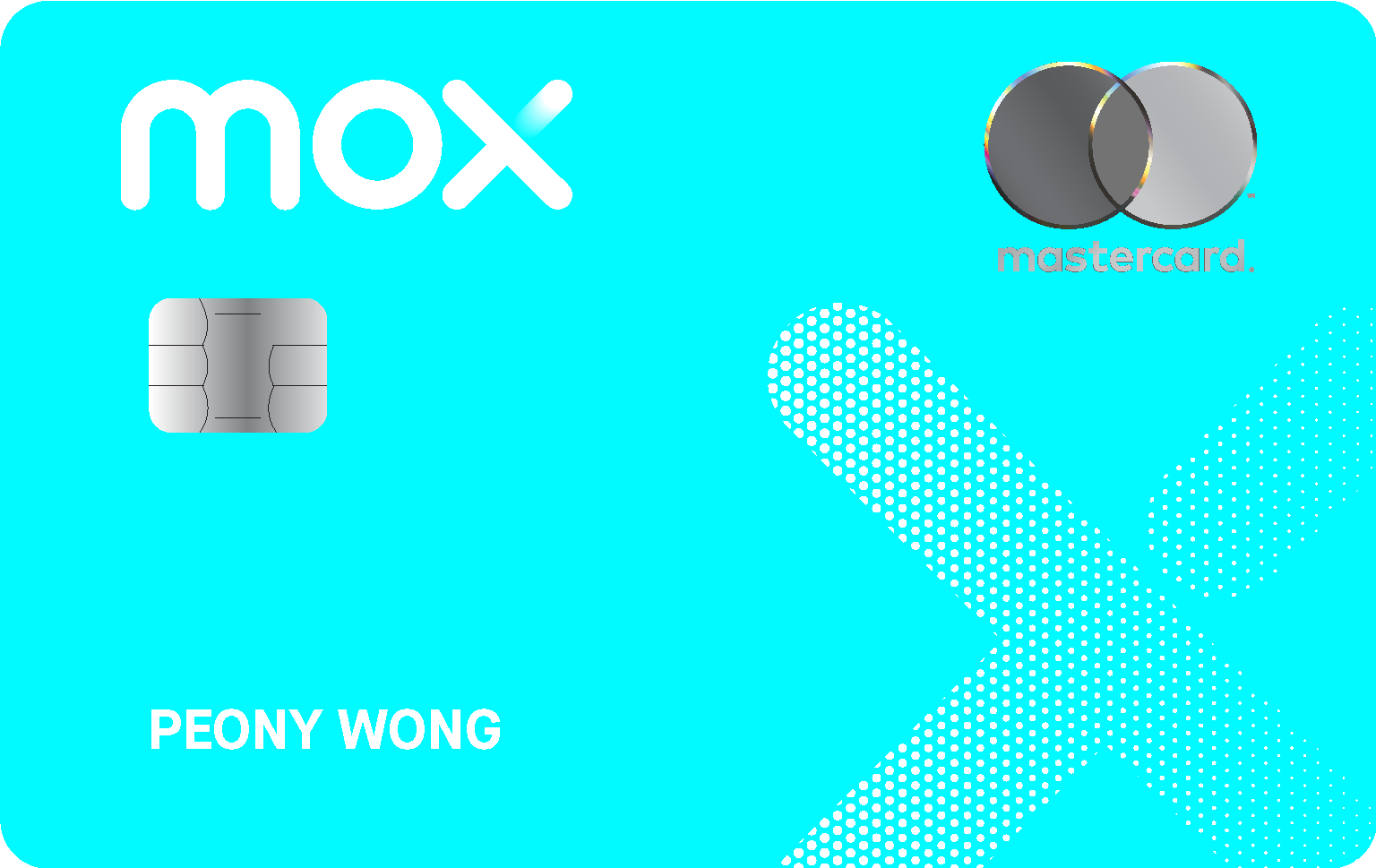
From now to 31 October 2026, new customers who successfully open a Mox Bank Account and get approved for a Mox Credit Card using any one of the designated MoneySmart invitation codes: "MOXFLASHMS2"/ "MOXFLASHMS3"/ "MOXPHONEMS", can enjoy:
1️⃣ [⚡️MoneySmart Exclusive Bonus!] An extra HK$200 Cash (deposited directly into your FPS account) or HK$200 Apple Store Gift Card, fulfilled by MoneySmart;
⠀⠀
2️⃣ Spend the designated amount within 30 days of card approval to unlock your reward!
💰 "MOXFLASHMS2" - Spend HK$2,000 within 30 days of approval: HK$1,000 Cash Rebate (fulfilled by Mox) + 🆕 HK$300 Cash (deposited directly into your FPS account) or HK$300 Apple Store Gift Card (fulfilled by MoneySmart)
🍎 "MOXFLASHMS3" - Spend HK$2,000 within 30 days of approval: HK$1,300 HK$1,000Apple Store Gift Card / 2 x Hong Kong Plaza "Premium First with Infinity" Lounge 3-hr Access Pass (Total value: HK$2,300) / Apple AirPods 5 (Value: HK$1,099)
📱 "MOXPHONEMS" - Spend HK$9,000 within 30 days of approval: HK$2,100 HK$1,800Apple Store Gift Card / PHILIPS RO Water Dispenser ADD6910/90 (Valued: $3,388, random colour) / LOJEL Cubo 26-inch Front-Opening Expandable Suitcase (Rose) (Value: HK$3,300); ⭐ First 200 customers who successfully activate their cards will also have a chance to earn 🔥 HK$18,000 Apple Store Gift Card^!
⠀⠀
3️⃣ Deposit HK$50,000 within 7 days of account opening and maintain it for 30 days to enjoy an additional HK$500 Cash Rebate
*Subject to the Terms and Conditions of the
"MOXFLASHMS2"/ "MOXFLASHMS3" / "MOXPHONEMS"
invitation code promotion. ^1 quota, random redemption code will be distributed by Mox.
⠀⠀

- Annual Fee
- First Year Annual Fee Waiver
- Rebate on Overseas Spending & Local Dining
- Unlimited 2%
- Rebate on Local Spending
- Unlimited 1%
⚡【3-Day Flash Deal✨ Grab Popular Gifts or Up to HK$2,200 Cash Voucher! Rewards Worth Up to HK$4,600! 🎉】
From now until 24 October 2026, new customers who successfully apply for a designated Citi credit card via MoneySmart with eligible spending of HK$4,000 within 30 days after card issuance (approval by 30 November 2026) can receive one of the following rewards:
✈️ 4 x Hong Kong Plaza Premium First with Infinity room 3 hrs Access Pass (Total value: HK$4,600) or
🎁 PHILIPS RO Water Dispenser ADD6920/90 (Value: HK$4,288, random color) or
🎁 staub Braiser 28cm/3.7L (Value: HK$3,999, random color) or
🎁 Medicube Age-R Booster Pro X2 9 in 1 Facial Beauty Device (Value: HK$3,000, random color) or
🎁 Dyson Supersonic™ Travel Hair Dryer HD19 (Value: HK$2,490, random color)or
💳 HK$2,000 Apple Store Gift Card / HK$2,200 ParknShop e-Vouchers
⠀⠀
+ Trip.com 8% OFF 🏨 Hotel Booking Promo Code + HK$100 Flights ✈️ Promo Code (upon claim submission)!T&Cs applied.
⠀

- Miles Conversion(Eligible spending on Cathay and HK Express)
- Up to HK$2=1 mile
- Miles Conversion (Eligible spending on dining, hotels and overseas category)
- HK$4 = 1 mile
- Bank Limited Time Welcome Offer
- 40,000 miles
【🌟No Spending Required upon Approval: MoneySmart Gift + Up to 120,000 Asia Miles / Southeast Asia Business Class round-trip ticket!】
From now until 31 October 2026, new Standard Chartered credit card customers who successfully apply for a Standard Chartered Cathay Mastercard® via MoneySmart can enjoy the following rewards upon card approval, subject to eligibility:
⠀⠀
1️⃣ MoneySmart Exclusive Gift — No Spending Required
Upon card approval, customers can choose ONE of the following gifts with no spending required:
・New Smile LED 5th Gen Nano Teeth Whitening Set + 3 Whitening Pens (Value: HK$3,980, random color) or
・2 x Hong Kong Plaza Premium First with Infinity room 3 hrs Access Pass (Value: HK$2,300) or
・AirPods 5 (Value: HK$1,099) or
・HK$900 Apple Store Gift Card / HKTVmall e-Vouchers / ParknShop e-Vouchers
⠀⠀
2️⃣ Standard Chartered Cathay Mastercard – Reward of your choice of up to 120,000 Asia Miles or FanFest Offer with up to HK$10,000 Cathay Gift Card
・Choose Asia Miles Welcome Offer: New cardholders who fulfill the designated spending requirement within the first two months after card issuance can earn up to 120,000 Asia Miles.
・Choose FanFest Offer: New cardholders who fulfill the designated spending requirement within the first two months after card issuance can receive up to HK$10,000 in Cathay Gift Cards, which can be used to offset the fare of Cathay Pacific-operated flights.
How to Set Up PayMe Step by Step
Step 1: Download PayMe and create your account
- Download PayMe by HSBC from the App Store or Google Play.
- Enter your Hong Kong mobile number and confirm it with the SMS code.
- Add your email address and create your login details.
- Follow the prompts to scan your HKID and verify your identity.
- Set up your PIN, plus Face ID or fingerprint login if you want it.
You don't need to be an HSBC customer. PayMe accepts bank accounts from a wide range of local banks.
Step 2: Add a top-up source
- Go to Settings and open Credit cards and bank accounts.
- Tap to add a top-up source and choose Add a bank account (or a credit card).
- Enter your account details and follow the verification steps, which usually involve authorizing a direct debit through your bank app.
Once a source is linked, you can top up manually or switch on Auto Top-Up, which refills your wallet whenever the balance drops below an amount you choose.
Step 3: Register PayMe for FPS
This step lets people pay your mobile number or email from any bank or wallet and have the money arrive in PayMe.
- Open PayMe and go to Settings.
- Tap FPS registrations, then Get started.
- Complete Verify and register.
- If your number is already registered with a bank account, choose whether to make PayMe your default receiving account.
Think about what you receive most before you pick a default. If friends are forever paying you back for brunch in Sai Ying Pun, make PayMe the default. If your landlord returns deposits or your company reimburses expenses by FPS, keep your bank as the default so larger sums don't sit in a wallet you then have to move out of.
How to Send and Receive Money with PayMe
Pay a friend via FPS
- Open PayMe and tap Pay friends.
- Pick a contact, or enter their mobile number or email address.
- Enter the amount and select Pay via FPS.
- Check the recipient's masked name and the amount, then confirm.
The recipient doesn't need PayMe. The money goes to whichever bank or wallet they've set as their FPS default.
Other ways to get paid
- PayCode: a personal QR code in the app that friends can scan to pay you on the spot.
- PayLink: a payment link you can drop into a WhatsApp group chat. It works well for collecting everyone's share of a junk boat day off Sai Kung.
- Red packets: PayMe has a digital laisee option, which is handy at Lunar New Year when you owe red packets to the building security guard and half your office.
Pay at shops and online
To pay a business, use the merchant flow rather than Pay friends: scan the shop's PayMe code or choose PayMe at checkout. PayMe is accepted at thousands of outlets across Hong Kong, including 7-Eleven, McDonald's, Wellcome, IKEA, UNIQLO, Mannings, HKTVmall, foodpanda and Klook.
Move money back to your bank
Transfers from your PayMe balance to a Hong Kong bank account are free. It's worth clearing out the balance now and then, since money in an e-wallet earns no interest.
PayMe Fees and Limits
For most everyday use, PayMe costs nothing. The main exception is topping up with a credit card from a bank other than HSBC.
PayMe also sets daily, monthly and annual limits on top-ups and transfers, and these depend on how fully your account is verified. Bank account top-ups have long allowed far more room than credit cards, which are capped at a small monthly amount. Check your current limits under Settings in the app, since HSBC adjusts them from time to time.
Topping up PayMe with a non-HSBC card to earn rewards points rarely makes sense. A 1.2% fee will cancel out most cashback or miles you'd earn.
How to Avoid FPS and PayMe Scams
FPS payments arrive in seconds, which also means they are hard to reverse once sent. A few habits keep you safe:
- Always check the masked name that appears before you confirm. If you're paying "Chan Tai Man" and the screen shows a different name, stop.
- Take the warning screens seriously. Banks and wallets now display an alert when a payee's FPS details match reports in the Hong Kong Police Scameter database.
- Never share your OTP or PIN, even with someone claiming to be from HSBC or your bank.
- Don't pay a flat deposit before a viewing. Fake landlords advertising apartments in Mid-Levels or Kennedy Town and asking for an FPS deposit upfront is a well-known scam aimed at newcomers.
Can't Get PayMe Yet? Options for New Arrivals
If your HKID is still being processed, you can still pay people and shops in the meantime:
- Your bank app's FPS function. Once your account is open, you can send money to any phone number, email or FPS ID straight from your bank.
- An Octopus card. Buy one at any MTR station with cash. It covers transport, convenience stores, supermarkets and many cafes.
- Other e-wallets. AlipayHK and WeChat Pay HK are also connected to FPS, though their verification requirements differ.
FAQ
Is PayMe the same as FPS?
No. FPS is Hong Kong's interbank payment network, run under the HKMA. PayMe is an e-wallet app from HSBC that uses FPS to send money to people on other banks and wallets.
Can I use PayMe without an HKID?
No. PayMe requires a valid Hong Kong Identity Card at sign-up, and a passport alone won't work. While you wait for your HKID, you can use FPS through your bank app instead.
Is PayMe free to use?
Yes, for most things. Paying friends, paying merchants, topping up from a bank account and transferring back to your bank are all free. Top-ups from non-HSBC credit cards carry a 1.2% fee.
Can my phone number receive FPS payments to both PayMe and my bank?
No. Each proxy ID has one default receiving account. You can register your number with several banks and PayMe, but payments sent to that number go to whichever one you've set as the default. You can change the default later in the app.
Can I send money overseas with PayMe or FPS?
No. PayMe and FPS are for local transfers, mainly in Hong Kong dollars. To send money to the US or elsewhere, use your bank's international transfer service or a remittance provider such as Wise.